
01 / 03
Organize the billing side of your business
Use a daily routine: collect trip records, prepare the correct customer invoice and review pending amounts. Keep supplier, driver and customer responsibilities clear when reconciling the paperwork.
Android guide
Taxi business management software should be evaluated against real office tasks. A billing dashboard can help you review amounts, but it does not replace every operational or financial process.
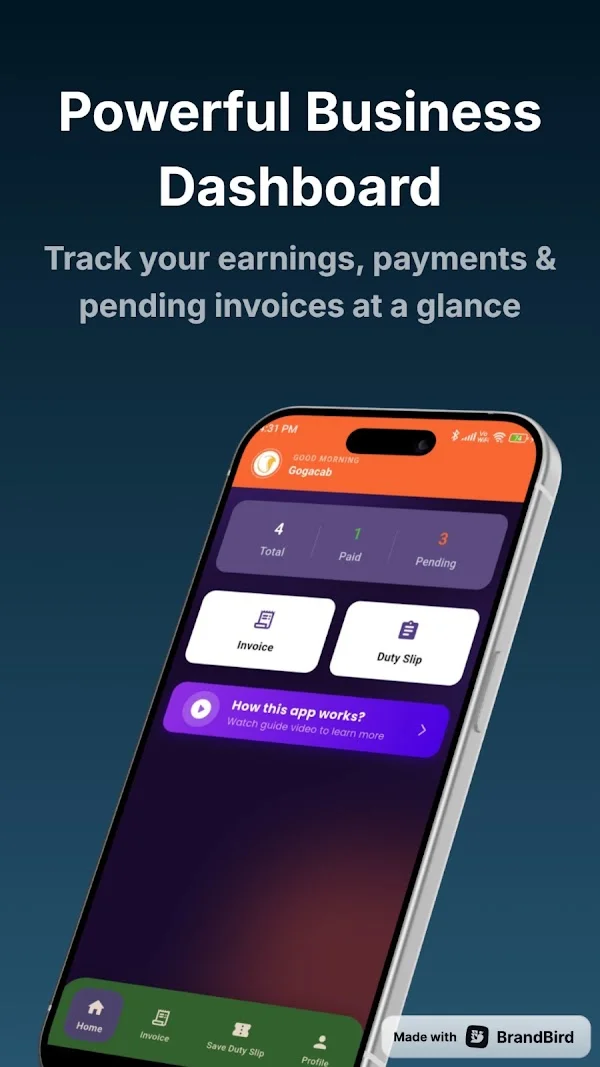
01 / 03
Use a daily routine: collect trip records, prepare the correct customer invoice and review pending amounts. Keep supplier, driver and customer responsibilities clear when reconciling the paperwork.
02 / 03
Retain separate processes for payroll, statutory accounts, insurance and operator verification where needed. Choose additional tools based on those needs, not on a broad management label.
03 / 03
Use one completed journey to evaluate the app. Follow its setup and invoice tutorials, check business details and compare the saved record against the original trip information. Correct missing or inaccurate details before sending a document to a customer.
Review the dashboard and search invoice history as part of your close-out routine. For PDF invoicing and sharing, check the yearly premium subscription in the current app. Keep the supporting documents required by your own business and accounting process.
Straight answers
Use a daily routine: collect trip records, prepare the correct customer invoice and review pending amounts. Keep supplier, driver and customer responsibilities clear when reconciling the paperwork. Retain separate processes for payroll, statutory accounts, insurance and operator verification where needed. Choose additional tools based on those needs, not on a broad management label.
No. These pages explain the Android app. Install TaxiCabBill through its official Google Play listing, review the current plan and use the app to prepare your documents.
Advanced PDF invoicing and sharing are listed under the yearly premium subscription. Check current access and plan terms in the app; this guide does not promise unlimited free exports.
Available on Android
Install from Google Play, set up your business profile and check current plan details in the app.