
01 / 03
Build a recognizable business document
Review profile settings before producing the first customer invoice. TaxiCabBill supports customization such as a company logo, signature, stamp and payment instructions.
Android guide
A taxi invoice maker helps a business produce documents with a consistent identity. Your company name, contact details and payment information should be recognizable across repeat journeys.
01 / 03
Review profile settings before producing the first customer invoice. TaxiCabBill supports customization such as a company logo, signature, stamp and payment instructions.
02 / 03
Presentation does not replace accuracy. Check that the billing entity and service details are correct, especially when a travel agency arranges a trip with an independent operator.
03 / 03
Use one completed journey to evaluate the app. Follow its setup and invoice tutorials, check business details and compare the saved record against the original trip information. Correct missing or inaccurate details before sending a document to a customer.
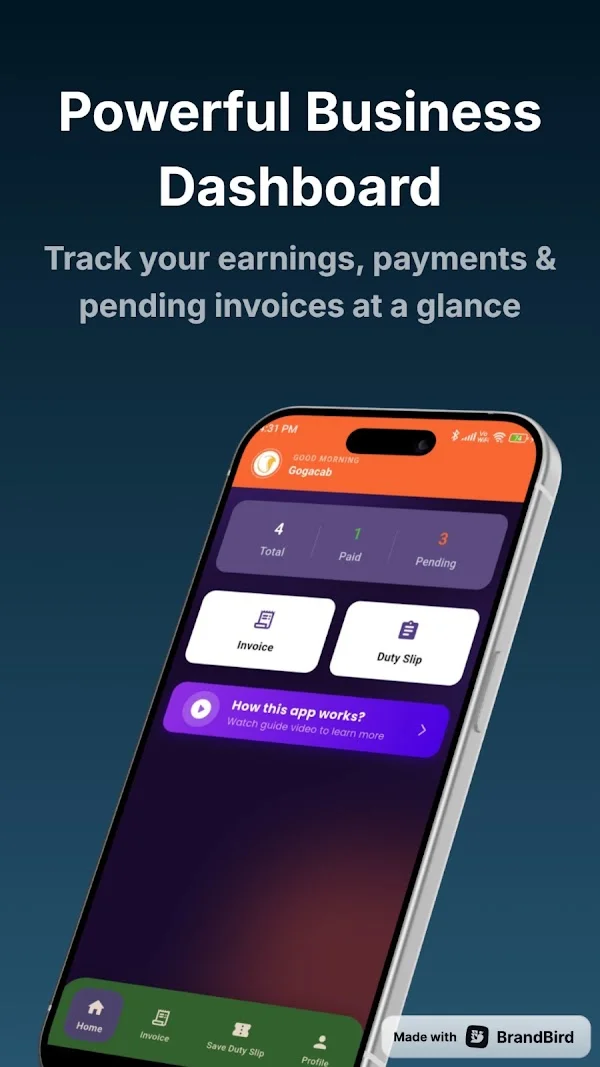
Review the dashboard and search invoice history as part of your close-out routine. For PDF invoicing and sharing, check the yearly premium subscription in the current app. Keep the supporting documents required by your own business and accounting process.
Straight answers
Review profile settings before producing the first customer invoice. TaxiCabBill supports customization such as a company logo, signature, stamp and payment instructions. Presentation does not replace accuracy. Check that the billing entity and service details are correct, especially when a travel agency arranges a trip with an independent operator.
No. These pages explain the Android app. Install TaxiCabBill through its official Google Play listing, review the current plan and use the app to prepare your documents.
Advanced PDF invoicing and sharing are listed under the yearly premium subscription. Check current access and plan terms in the app; this guide does not promise unlimited free exports.
Available on Android
Install from Google Play, set up your business profile and check current plan details in the app.